In today’s fast-paced digital workspace, communication is no longer just about sending messages. Teams need structure, coordination, automation, and clarity — especially with remote and hybrid work becoming the global standard.
Among all the collaboration tools available, Slack has consistently positioned itself as one of the most effective platforms for workplace communication. But with competition from Microsoft Teams, Discord, Google Chat, and even Notion, many users want to know:
Is Slack still worth using in 2025?
Has it improved?
Is the paid version worth upgrading to?
And is Slack a good fit for your team?
This full review covers all of that — in a simple, human, and readable way.
What Is Slack?
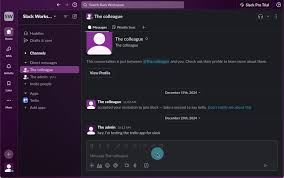
Slack is a cloud-based communication platform built for workplace messaging and collaboration.
Instead of long email threads, Slack organizes communication into:
- Channels (for topics, projects, or departments)
- Direct messages
- Video/audio calls
- File sharing
- Integrations and bots
In many ways, Slack has become the digital “office hub” for thousands of teams — from startups to Fortune 500 companies.
What’s New in Slack 2025?
Slack has rolled out several improvements that make communication faster, smarter, and more automated.
1. AI Assistant Built Into Slack
Slack introduced a powerful AI layer that helps teams with:
- Searching messages instantly
- Summarizing long conversations
- Auto-prioritizing messages
- Drafting replies
- Turning messages into tasks
- Extracting action items from meetings
Slack’s AI is context-aware and team-aware — meaning it understands your workspace better over time.
2. Slack Canvas (New Collaboration Space)
Slack added a feature called Canvas, which allows teams to:
- Create shared documents
- Build knowledge hubs
- Add notes and checklists
- Pin resources
- Collaborate without leaving Slack
Canvas basically reduces the need to open Google Docs or Notion for simple shared tasks.
3. Faster Performance + Cleaner Navigation
Slack improved:
- Load times
- Search speed
- Notifications
- Side panel navigation
- Compact mode for heavy users
These updates make Slack feel more responsive, especially for teams with thousands of messages.
4. Improved Workflow Automation
Slack’s workflow builder is now more visual and powerful.
You can automate:
- Welcome messages
- Approval flows
- Daily reminders
- Task assignments
- CRM updates
- Support ticket routing
- Content publishing workflows
No coding required — perfect for managers and teams that want to save time.
Key Features of Slack (2025 Full Breakdown)
1. Organized Channels
Channels help keep communication clean and structured. Examples:
- #marketing
- #sales-team
- #product-updates
- #design-hub
- #support-tickets
Instead of messy group chats, each team has its own space.
2. Integrations (2,600+ Apps)
Slack is one of the most “connectable” tools on the market.
You can integrate:
- Google Workspace
- Microsoft 365
- Jira
- Asana
- Zapier
- Zoom
- Notion
- GitHub
- Trello
This turns Slack into the command center for all your apps.
3. Messaging + Threads
Slack supports:
- Direct messages
- Group chats
- Threads (to avoid clutter)
- Reactions (for quick feedback)
- File attachments
- Mentions
- Emojis and GIFs
Slack keeps communication simple yet organized.
4. Voice & Video Calls
Slack now offers:
- 1-on-1 calls
- Group calls
- Screen sharing
- Clip recordings (short video messages)
While not as advanced as Zoom, Slack’s calling tools are perfect for quick team interactions.
5. Slack Connect
Slack Connect allows you to collaborate with external clients or businesses in shared channels.
Ideal for:
- Agencies
- Partners
- Vendors
- Freelancers
- Consultants
No more messy email threads — everyone meets in one shared space.
6. Powerful Search
Slack’s search system is one of the best in any communication app.
You can search for:
- Messages
- Files
- Users
- Channels
- Keywords
- Dates
- Mentions
With the new AI engine, search results come even faster.
7. Slack Workflow Automation
Slack’s automation tools help teams streamline repetitive work.
You can automate things like:
- Daily stand-up forms
- Task creation
- Sending reminders
- Updating spreadsheets
- Customer support routing
This saves money and time for busy teams.
How Slack Performs in Real Use
User Experience (9/10)
Slack is extremely intuitive.
The interface is clean, modern, and easy to navigate — even for new users.
Organization (10/10)
The channel structure is arguably Slack’s biggest advantage.
Everything has its place, reducing confusion.
AI Features (9.5/10)
The new AI summarization and message drafting features are excellent.
Integrations (10/10)
No competitor — not even Microsoft Teams — offers this much flexibility.
Performance (9/10)
Faster than previous versions, especially in heavy workspaces.
Slack Pros and Cons
Pros
✔ Clean and easy interface
✔ Excellent channel organization
✔ Powerful AI assistant
✔ Thousands of integrations
✔ Great workflow automation
✔ Perfect for remote and hybrid teams
✔ Reliable search function
✔ Useful document sharing and Canvas
Cons
✘ Paid version can be expensive
✘ Free plan has message history limits
✘ Heavy usage can become distracting
✘ Calls are not as strong as Zoom
Slack vs Competitors (2025)
Slack vs Microsoft Teams
Slack is cleaner, simpler, and faster.
Teams is better for companies already using Microsoft 365.
Slack vs Discord
Slack wins at:
- Professional communication
- Integrations
- Productivity features
Discord wins for gaming and communities.
Slack vs Google Chat
Slack offers far more features, especially for large teams.
Slack vs Notion
Slack is for communication.
Notion is for documentation.
Many teams use both.
Who Should Use Slack?
Perfect For:
- Remote teams
- Large businesses
- Startups
- Agencies
- Developers
- Project teams
- Customer service teams
Not Ideal For:
- Casual communities (Discord is better)
- Very small teams (free tools may be enough)
Final Verdict: Is Slack Worth It in 2025?
Yes — Slack is absolutely worth it.
It remains one of the smartest, easiest, and most reliable communication tools available today.
With:
- AI-powered messaging
- Automation
- Integrations
- Workspace organization
- Better performance
- Enhanced collaboration features
Slack remains the top choice for modern businesses that want fast communication without chaos.
If your team needs organization and seamless workflow management, Slack is a must-have in 2025.