If you use a computer for work or content creation — writing, coding, browsing, managing tasks — you know how many tools and apps stack up. Opening the right app, finding the right document, switching windows, digging through menus… it adds up. That’s why new productivity tools that simplify, speed up and streamline workflows are often game changers. One such tool that’s gained major traction in 2024–2025 is RayCast.
RayCast promises to make desktop navigation lightning‑fast, boost productivity, and reduce friction — but does it deliver? Let’s dive into everything you need to know in this 1,000+ word review.
What Is RayCast?
RayCast is a desktop launcher and productivity assistant for macOS (with Windows support still in beta or via similar clones). It’s like Spotlight on steroids — but built for power users. Instead of hunting through folders, dock icons, or the Start menu, you press a simple hotkey, type what you want, and RayCast finds it instantly — whether it’s an app, a file, a project, a search, or an action.
The core idea: make anything — launching apps, running commands, searching files, managing tasks — doable with keyboard + minimal typing, no mouse required.
Why RayCast Is Getting Buzz in 2025
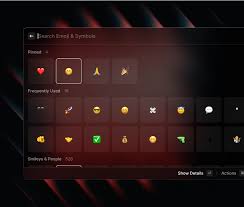
A few things make RayCast stand out now:
- Speed & convenience — launch apps or workflows in under a second
- Unified workflow — search files, calendar events, clipboard history, settings all from one place
- Extensions ecosystem — community plugins add deep integrations (GitHub, Slack, Notion, Jira, system commands, scripting, etc.)
- Automation support — run scripts, custom commands, shortcuts, sequences — ideal for power users or developers
- Minimal UI, maximal power — distraction-free interface; cursor‑free interaction
For anyone who spends a lot of time on a computer — developers, content creators, freelancers — this can save a surprising amount of time over weeks and months.
Key Features of RayCast (2025 Edition)
1. Universal Search: Apps, Files, Projects, Settings
RayCast can:
- Launch applications
- Find files or folders instantly
- Jump to recent documents
- Search system settings
- Search through clipboard history
No more browsing through Finder or navigating deep folder hierarchies.
2. Plugins & Extensions Marketplace
One of RayCast’s major strengths is its community‑driven plugin ecosystem. Plugins allow you to:
- Interact with services like GitHub, Bitbucket, Jira, Notion, Slack
- Run system commands (shut down, lock screen, system stats)
- Quickly search and open bookmarks, terminal commands, documentation
- Manage to‑dos, calendars, notes — without leaving the launcher
It’s like giving your launcher super‑powers.
3. Quick Commands / Automation & Scripting
For power users:
You can create custom commands or scripts that run combinations of actions:
- Open a set of apps with one command
- Build templates for projects
- Automate repetitive tasks (e.g. backup, file organization)
- Trigger workflows for coding, writing, content prep
Think: “I press → write ‘proj’ → and RayCast opens code editor + browser + project folder.” Instant productivity boost.
4. Minimal, Keyboard‑First UI
RayCast insists on speed and minimal distraction:
- Activated by a single hotkey (often ⌘ + space or custom)
- No mouse needed — navigate with arrow keys + enter
- Clean, fast‑loading UI
- Light memory footprint — doesn’t slow down your computer
If you hate fumbling with icons, menus, tabs — this design philosophy is a relief.
5. Cross‑Service Integration & Workflow Unification
RayCast can connect to many services, which means:
- You don’t need to open separate apps to search tickets, pull requests, messages.
- You can write notes, check calendars, start timers, perform web searches — all from the same interface.
- You can build workflows that combine multiple steps across apps.
For freelancers, teams, or anyone juggling multiple tools — this unifies your workflow.
How RayCast Performs in Real Use
Speed & Responsiveness (9.5/10)
Launching apps and searching files feels instantaneous. Even with addons and large workspace, RayCast remains snappy.
Learning Curve (7.5/10)
For basic usage — launching apps or searching files — beginners adapt in minutes.
For advanced automation or custom scripts — a bit more learning required. But not steep.
Productivity Gain (8.5/10)
For power users, the time saved from reduced clicking and fewer context switches adds up fast.
Extensibility (9/10)
Thanks to community plugins and scripting support, RayCast can grow with your needs.
Flexibility & Customization (8/10)
You can remap hotkeys, build workflows, integrate many external apps.
Only downside: heavy customization can be overwhelming for simple users.
Pros & Cons of RayCast
Pros
✔ Extremely fast launcher & search tool
✔ Great for productivity and workflow automation
✔ Supports many integrations and plugins
✔ Keyboard-first interface = efficient and distraction-free
✔ Low resource usage
✔ Flexible — from basic to advanced use
✔ Works well for developers, creators, power users
Cons
✘ Best features mostly for macOS (Windows support limited or via third‑party clones)
✘ Advanced features (automation, plugins) require some tech skill
✘ Not ideal if you prefer mouse-based, visual workflows
✘ Third‑party plugins vary in quality or maintenance
Who Should Use RayCast?
Developers & Programmers
For launching IDEs, terminal, code repos, scripts, servers — all by typing. Content Creators & Writers
Fast document access, note‑taking, workflow automation, distraction‑free writing.
Freelancers & Remote Workers
Combine tools: time tracking, project folders, communication apps — all accessible in one place.
Power Users & Productivity Enthusiasts
If you enjoy optimizing workflows, keyboard shortcuts, and minimal UI — RayCast fits perfectly.
Anyone Tired of Cluttered Desktops and Messy Workflows
If you open many apps daily and wish for a smoother workflow — RayCast helps.
Who Might Not Benefit From RayCast
- Users who prefer GUI‑heavy, mouse‑driven workflows
- People on shared / restricted computers where installing apps is not allowed
- Casual users who only occasionally open apps or files
- Those who dislike customization or prefer simple, visual navigation
Pricing & Availability
As of 2025:
- RayCast offers a free core version — great for most users (apps launching, search, basic plugins).
- There is a paid Pro plan (optional) — unlocks advanced automation, premium plugins, custom workflows — beneficial for power users.
- Because it’s lightweight, even older Macs run it smoothly.
For many users, the free version is enough. Power users or teams may find value in the Pro plan.
Final Verdict: Is RayCast Worth Trying in 2025?
If you use a computer heavily — writing, coding, editing, managing multiple apps — RayCast is absolutely worth checking out. It brings speed, efficiency, and focus back to work.
Even if you’re not very technical, RayCast offers immediate benefits: fast search, quick app launching, distraction‑free interface.
If you are a power user: the plugin ecosystem, scripting support, workflow automation turns RayCast into a productivity powerhouse.
Bottom line: RayCast is not “just another launcher.” In 2025, it represents a modern productivity philosophy — less mouse, more keyboard; less clicking, more doing. For many, switching to RayCast could save hours of friction every week.